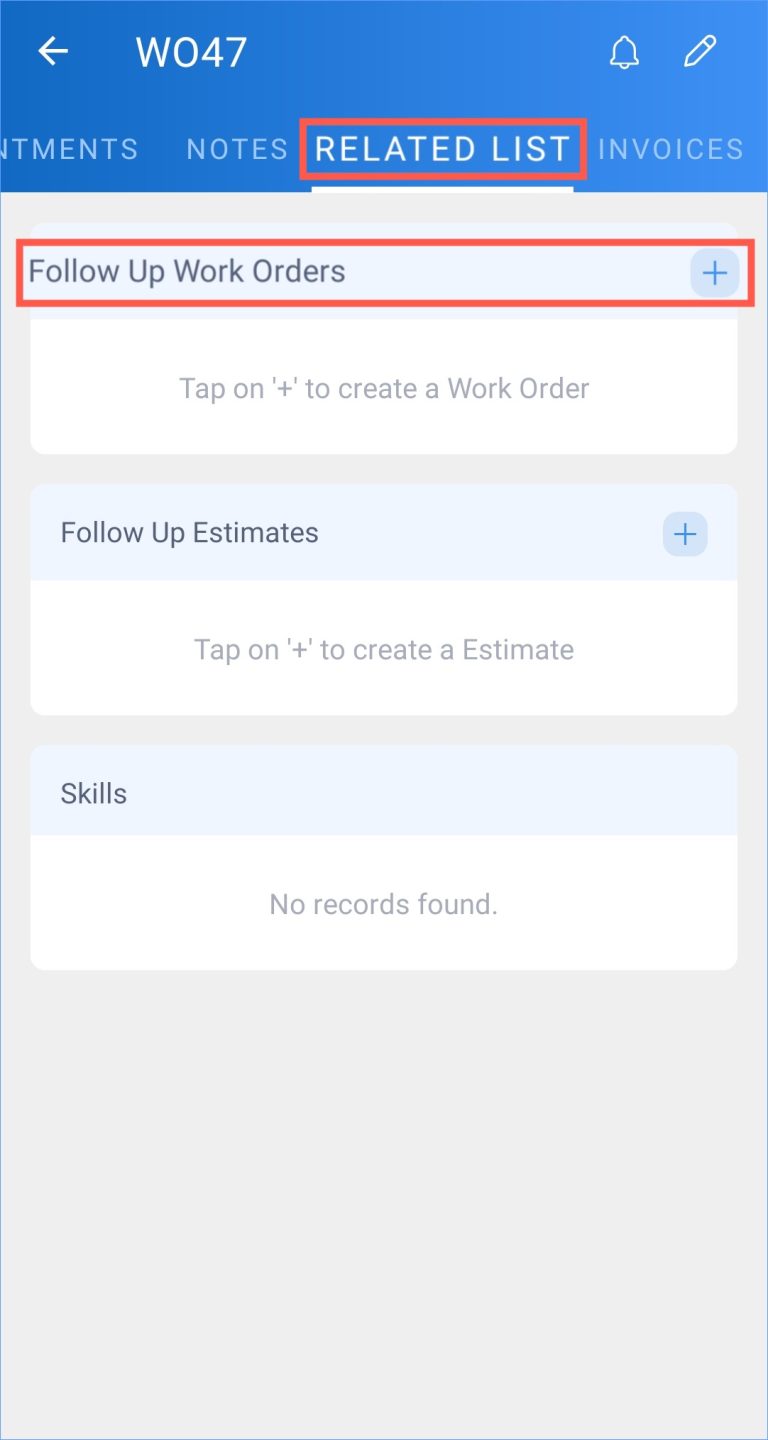
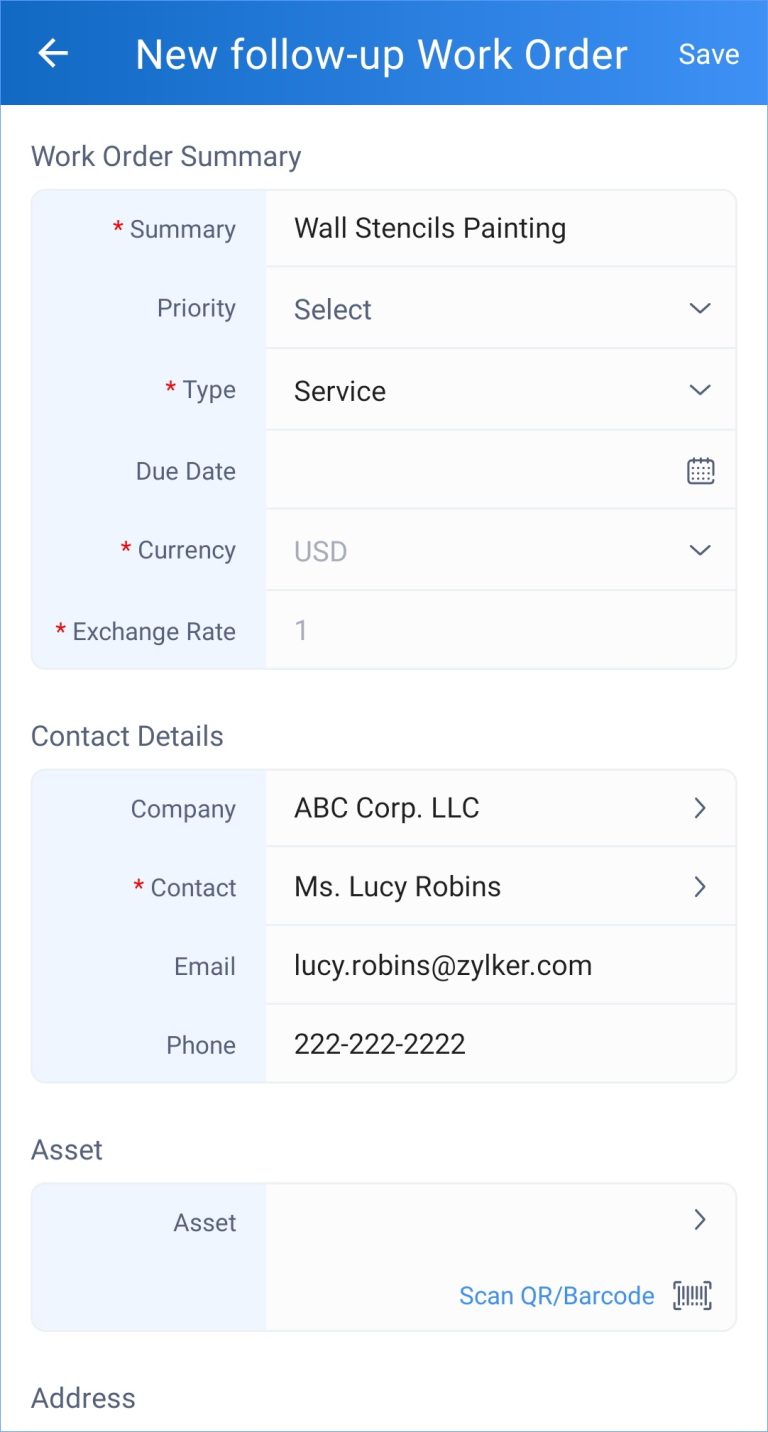
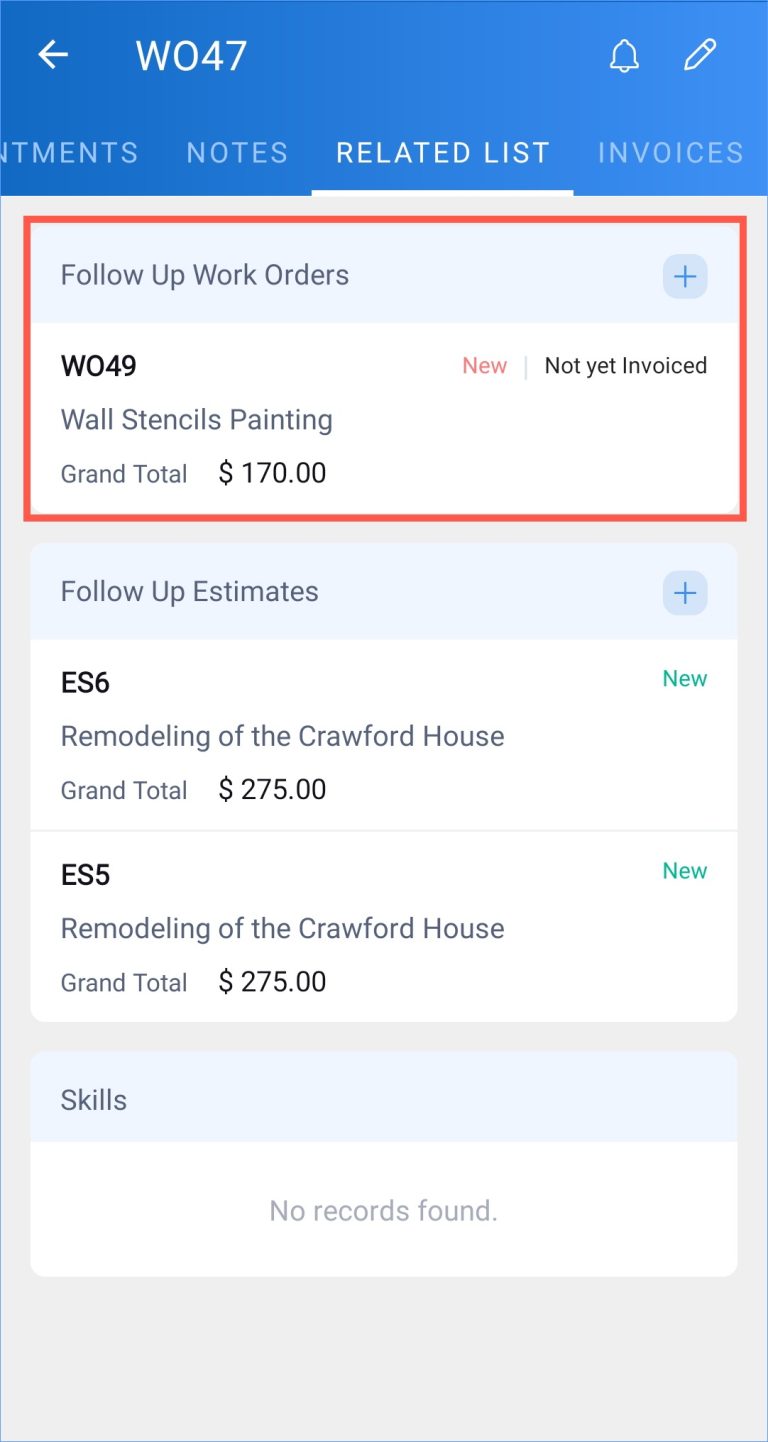
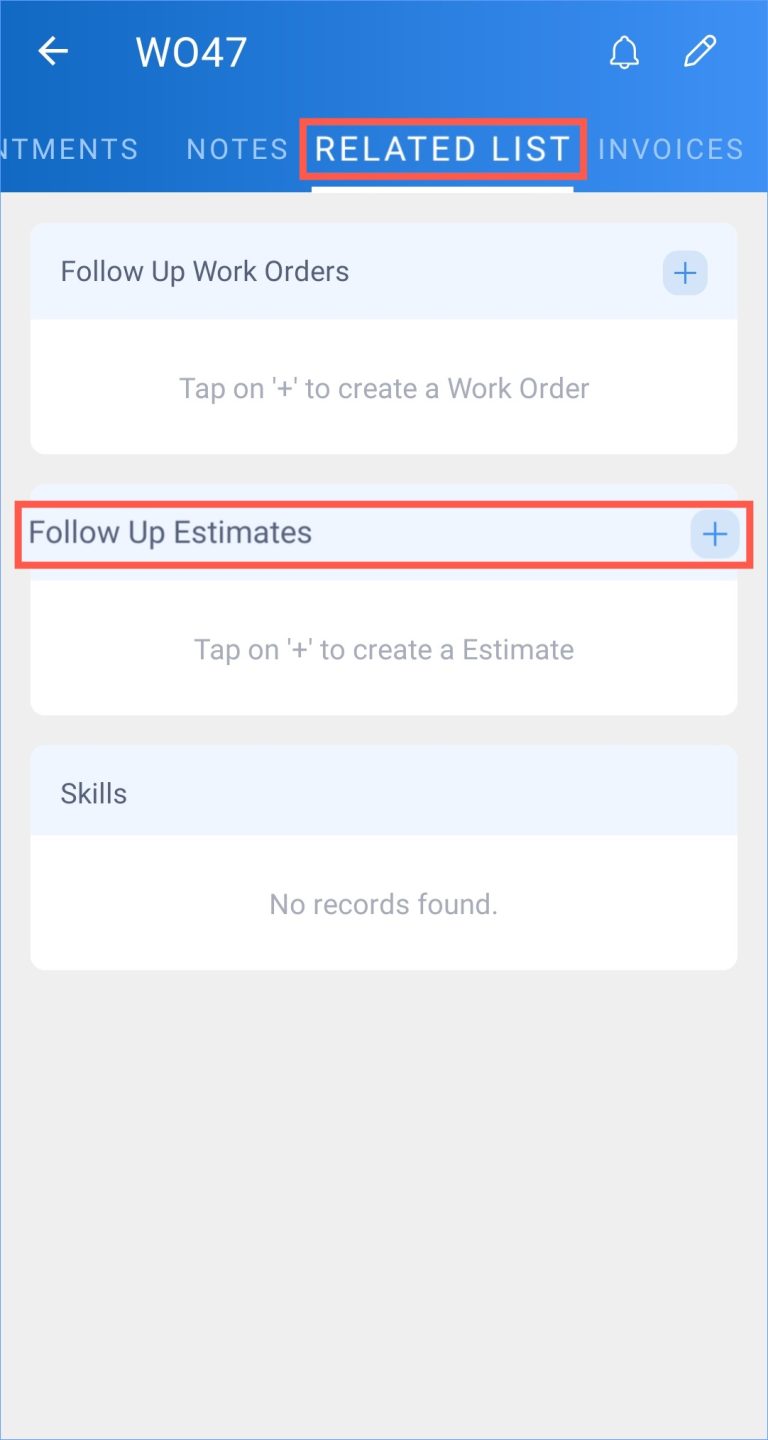
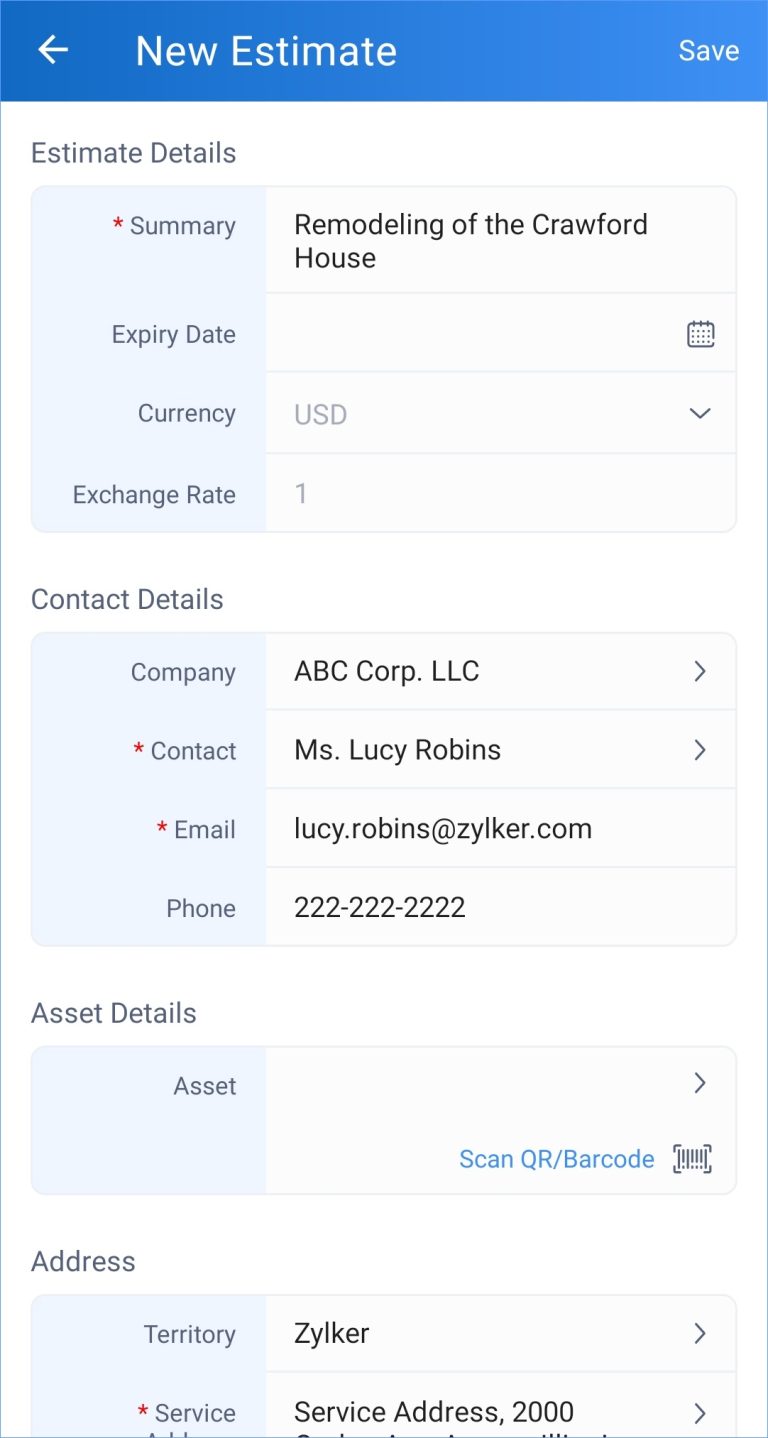
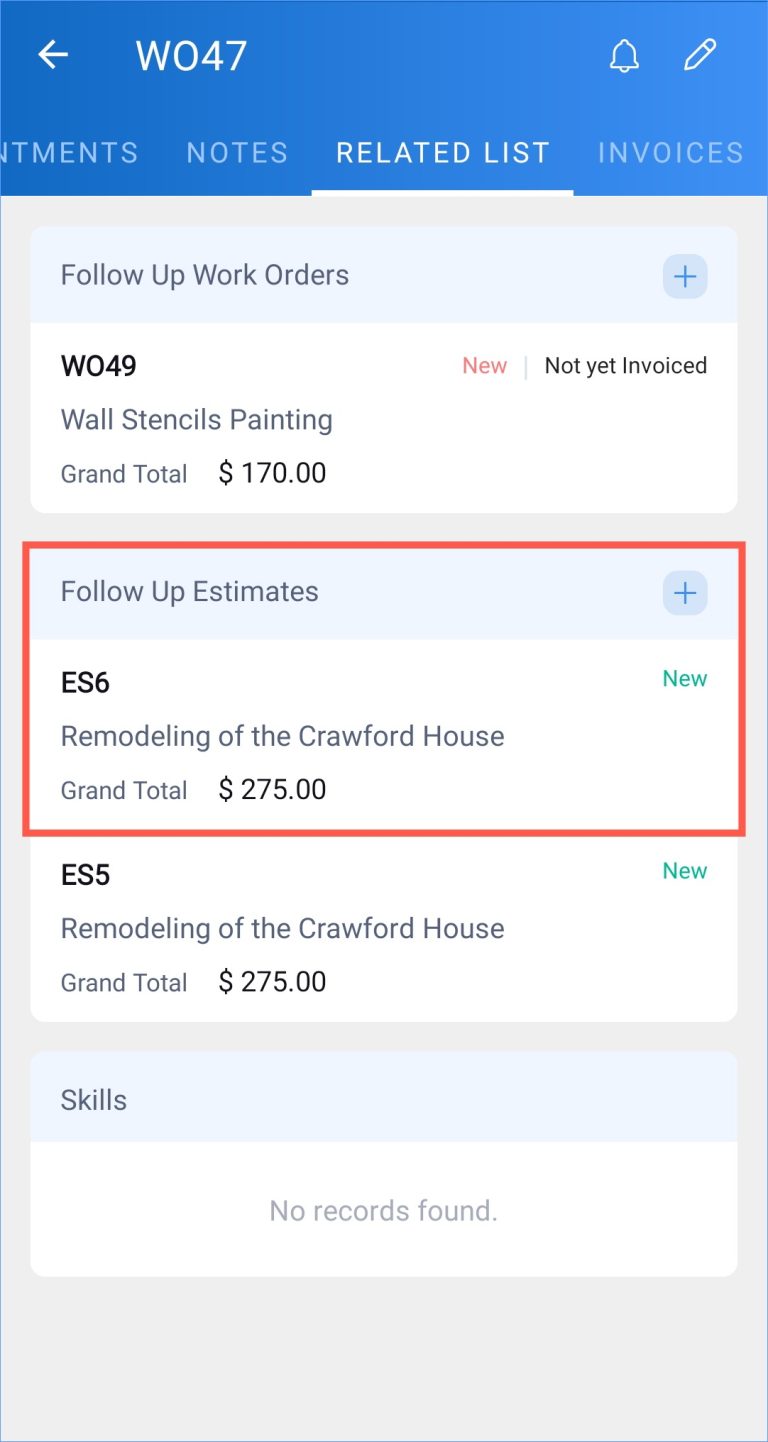
Follow-up Work Order and Estimate in Zoho FSM Summary You can create a follow-up work order or estimate for an work order.To create a follow-up work order:Select the Related List tab of the work order you want to add the follow-up work order to. Click + for Follow Up Work Orders. In the New follow-up Work Order page, enter the necessary details and click Save. The created follow up work order will be listed under the Related List tab. To create a follow-up estimate:Select the Related List tab of the work order you want to add the follow-up estimate to. Click + for Follow Up Estimates. In the New Estimate page, enter the necessary details and click Save. The created follow up estimate will be listed under the Related List tab. Zoho FSM Request Support