
Vendor Inquiry
For Sage 300
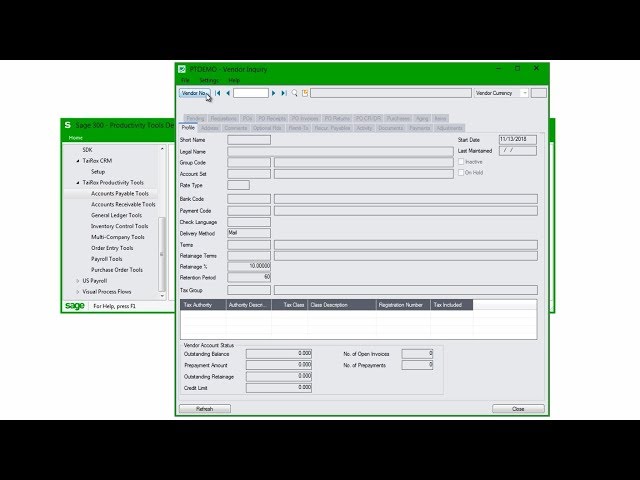
Vendor Inquiry adds 20 dynamic tabs of information for a vendor, including grids for purchase orders, requisitions, invoices, receipts, returns, payments, adjustments, credit notes and more.
What is Vendor Inquiry?
Vendor Inquiry provides a convenient way to view data related to a Sage 300 vendor. Each tab focuses on one aspect of the vendor’s data.
Note:
Note that some tabs and features shown below may not be available in your company, depending on which Sage 300 modules you use
For example, the data available in Vendor Inquiry depends on:
- Whether or not a PO is installed
- Whether PO is using IC items or is stand-alone
- The permissions of the user
- Whether or not specific TaiRox Productivity Tools are enabled
Vendor Inquiry Tabs
The following screen displays all 20 Vendor Inquiry tabs. The Vendor No button provides access to a “SmartFinder” search function that searches multiple columns in both vendor and remit-to locations and displays all matches – like a modern bowser search engine.
