
If your Sage 100 (MAS 90 and MAS 200) check printing is unexpectedly interrupted you may upon re-entering Accounts Payable or Payroll receive one of the following error messages:
“Check printing in progress”, “Bank code in use by another task”, or “Other check printing in progress” error message in Accounts Payable or the Payroll module when there are no checks printing.
Possible Resolution:
To resolve this issue, first verify that nobody is printing in either Payroll or Accounts Payable. You may have to have everyone exit out of the system.
1. From the main menu, select File / Run type “GLWSKA” then click “OK” button.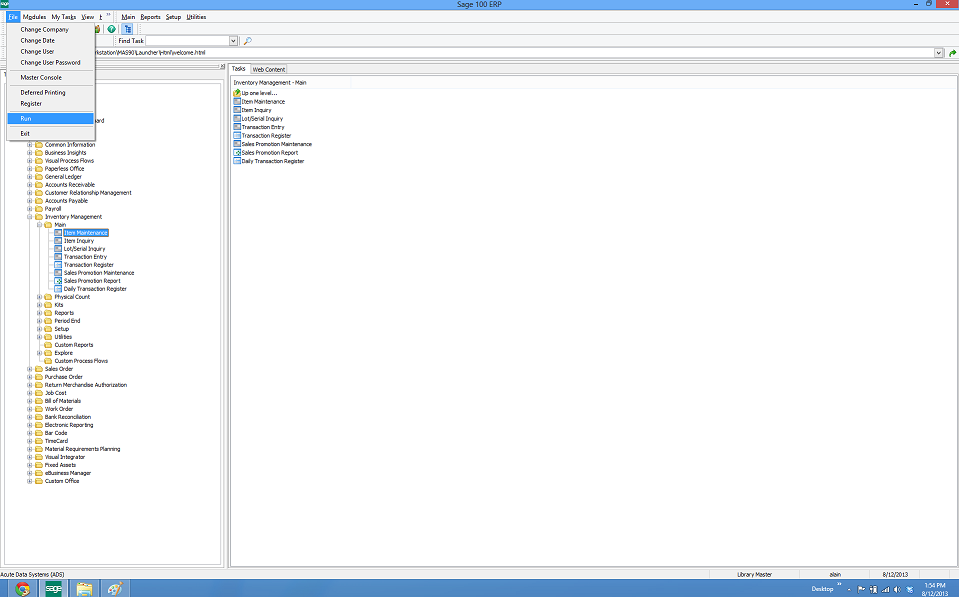
2. A Clear Check Printing Flag Utility appears
3. Enter the Bank Code receiving the error message and click “Proceed” button.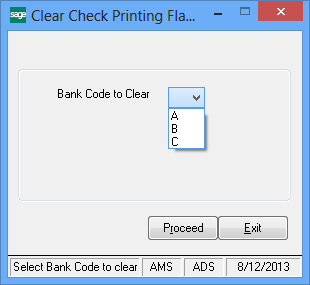
4. Review the warning message and click “YES” button.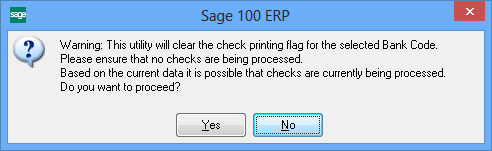
5. When the Clear Check Printing Flag Utility appears again, the flag has been cleared.