A/R Receipt Adjustment Optional Fields
For Sage 300
Enhance your Accounts Receivable (A/R) Receipt Miscellaneous Adjustments process with the flexibility and customization offered by A/R Receipt Adjustment Optional Fields. This feature empowers users to add multiple optional fields to the A/R Receipt Miscellaneous Adjustments view, streamlining data entry and facilitating comprehensive adjustment tracking.
Accounts Receivable
Add as many Optional Fields as you need to the A/R Receipt Miscellaneous Adjustments view.
- Configure them like any other Optional Field, along with default values and validation lists
- All configured fields are displayed in new columns added to the Miscellaneous
- Adjustment pop-up grid screen.
- Propagate them to the G/L when the receipts are posted and processed.
Why use it?
A/R Miscellaneous Adjustments do not have Optional Fields by default.
How does it work? (Example)
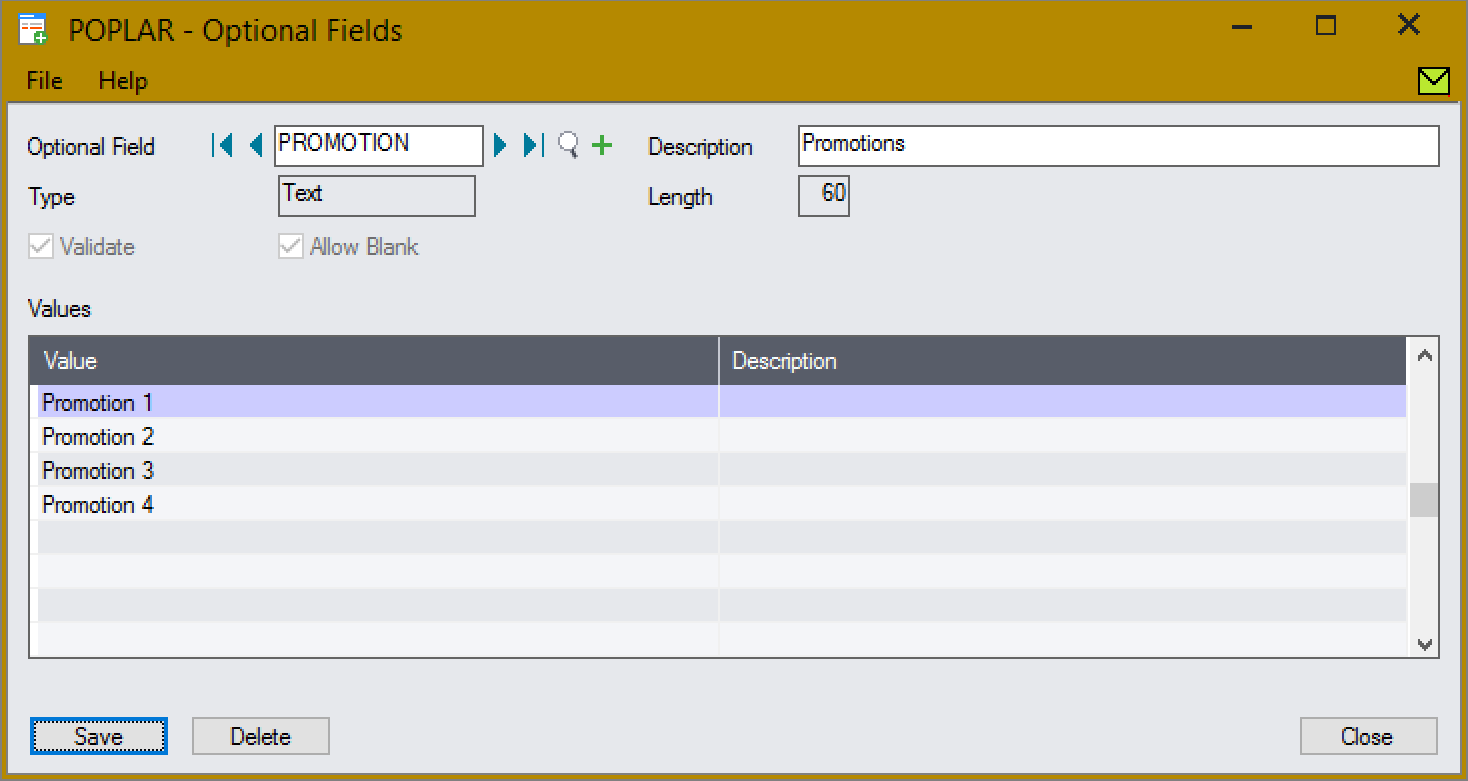
Create the Promotion Optional Field, with validation:
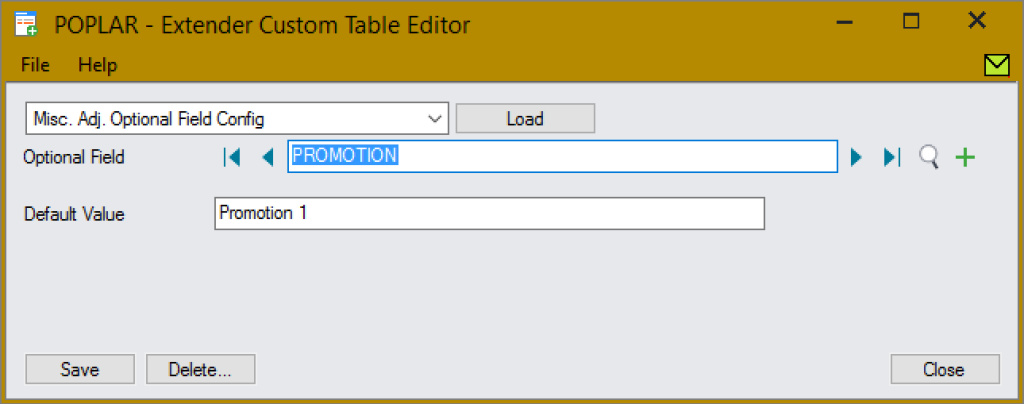
Assign the Promotion field, with a default of Promotion 1:
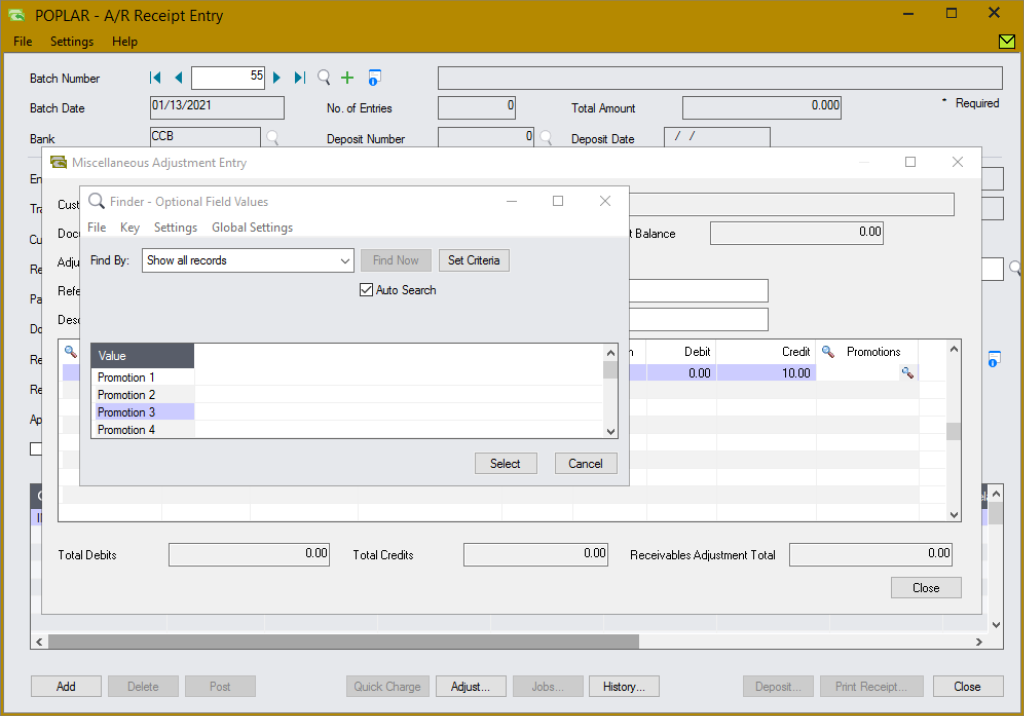
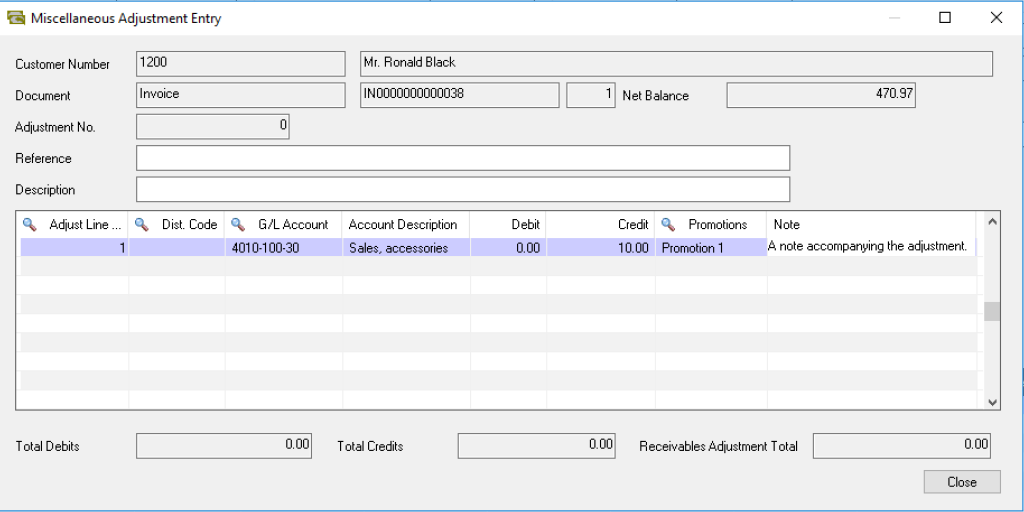
All configured Optional Fields are automatically displayed in new, editable, columns of the Miscellaneous Adjustments pop-up screen grid:
- They can easily be managed inline, with the adjustment details.
- Defaults are automatically applied, and validated fields have a finder and validation before write.
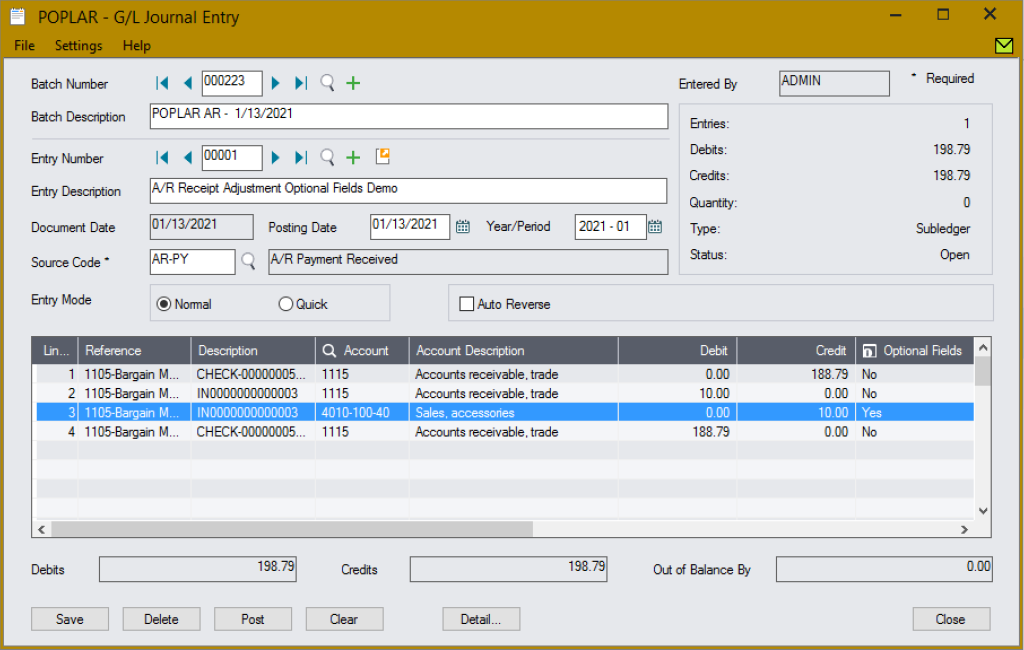
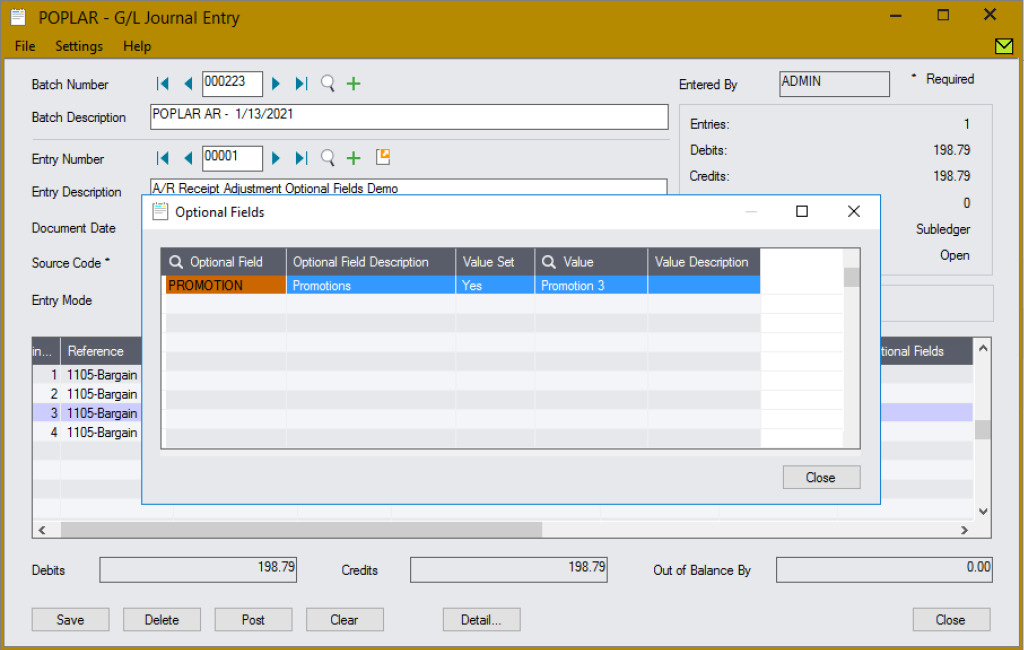
When the adjustments are posted, the Optional Fields are propagated to the G/L entries:
The Promotion Optional Field has been set on the entry.
Any number of Optional Fields can be configured, using either validated or free form fields, e.g.:
App Type
Tailored
Requires site-specific customization (Python coding) before use. Request a quote for assistance.