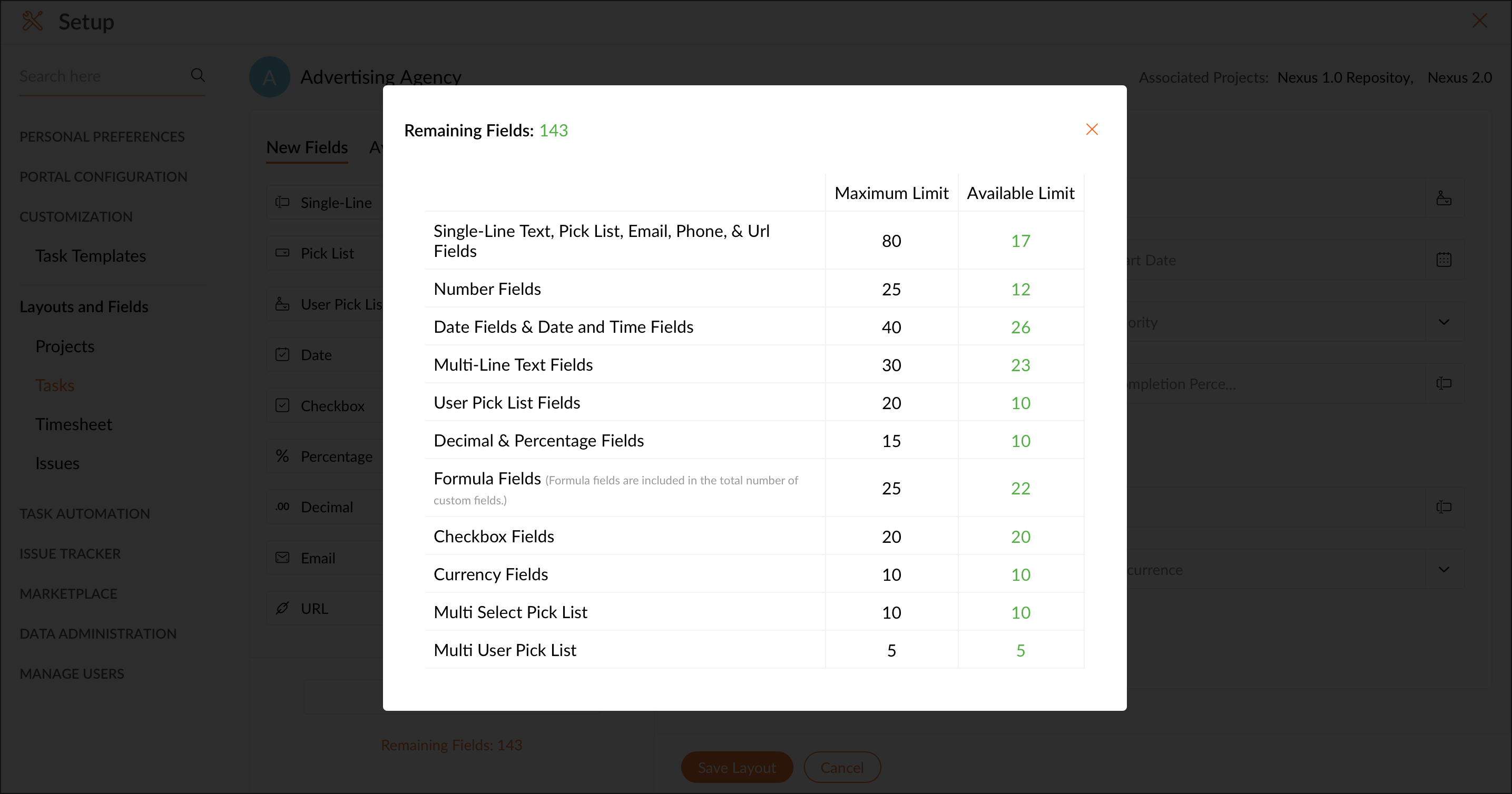
How to View the Number of Remaining Fields in Zoho Projects Resolution Click the Gear Icon in the upper-right corner of the top navigation band.Navigate to Customization > Layouts and Fields > Tasks.Click a layout for which you would like to view the split-up of the used-up fields count and the number of fields left under every field type.Click the Remaining Fields link in the left panel below the Add Section component.You can get the count of how many fields under each category have been created already and how many are in hand. Zoho Projects Request Support