Another way of adding sales orders in Zoho Books is to import them. You can import sales orders you have in your system in the CSV, TSV or XLS format. Here’s how:
Go to Sales > Sales Orders.
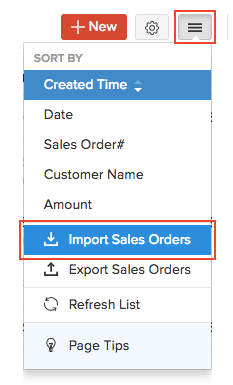
Click the Hamburger icon in the top right corner of the page.
Select Import Sales Orders.
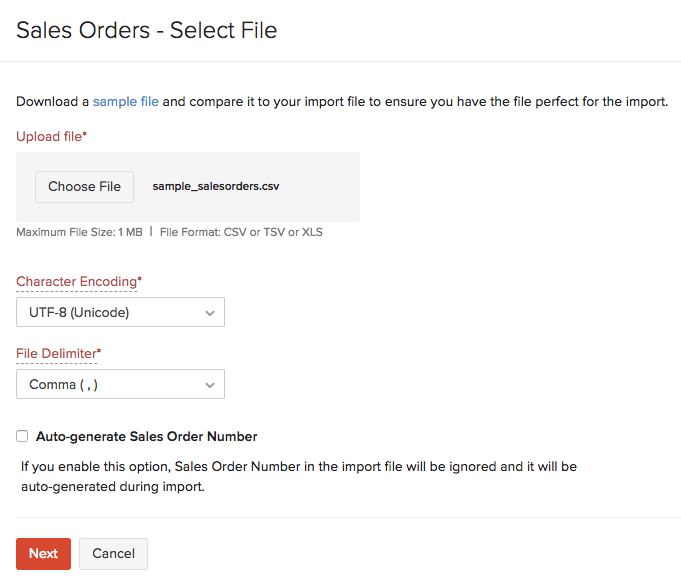
Click the Choose File button under Upload File. You can download a sample CSV or XLS file for your reference by clicking sample file.
Choose the Character Encoding and File Delimiter for your file.
If you want your sales order number in the imported file to be auto-generated, mark the box Auto-generate Sales Order Number.
Click Next.
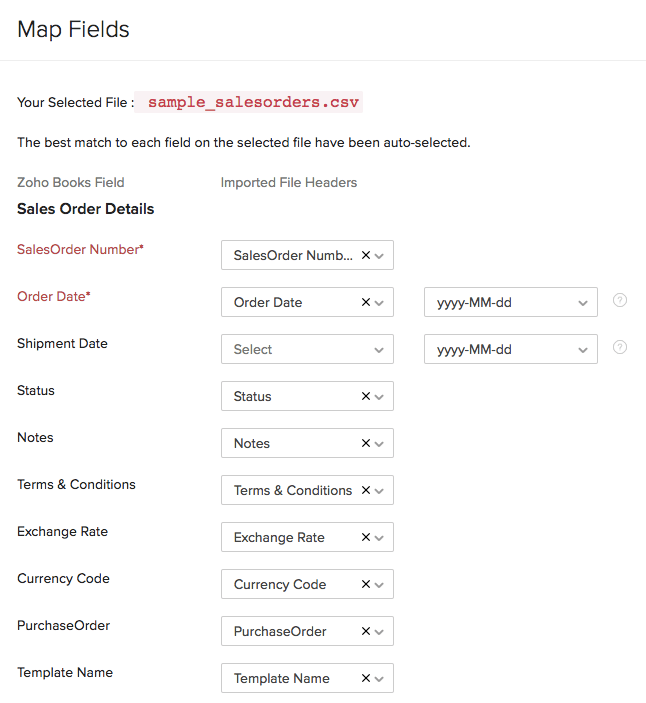
Ensure that all the fields are mapped correctly in the Map Fields page.
Mark the box Save these selections for use during future imports if you want to use the similar import format for the next time.