Click Settings on the top right corner of the page.
Click Taxes under Taxes & Compliance. In the Taxes pane, click Tax Rates.
Click on a tax you wish to edit.
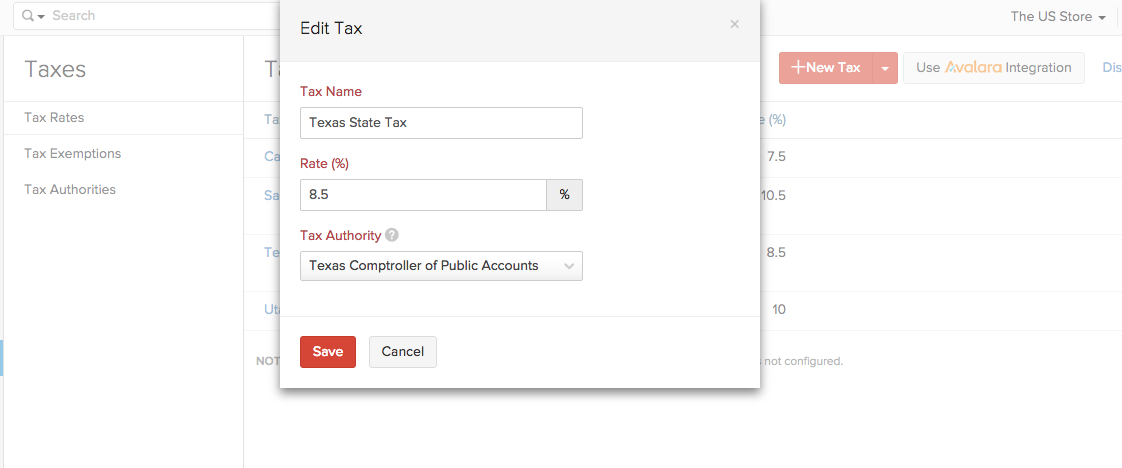
In the Edit Tax screen, edit the desired fields such as Tax Name, Rate and Tax Authority.
Click Save for the changes to take effect.
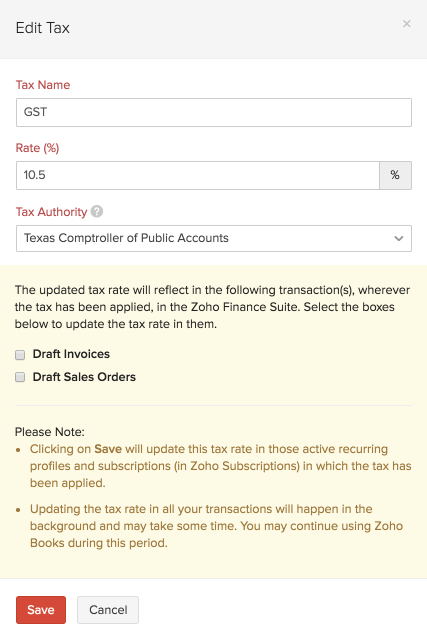
If this tax has already been applied in some transactions, you will asked to confirm if you wish to update the new tax rate in those transactions as well.