How to Create a Private Copy of an Existing Layout in Zoho Projects
An existing layout can be used to create a private copy. This option is available when adding a new project or editing a project.
Resolution
Navigate to Projects list view and click New Project.
Enter the project details.
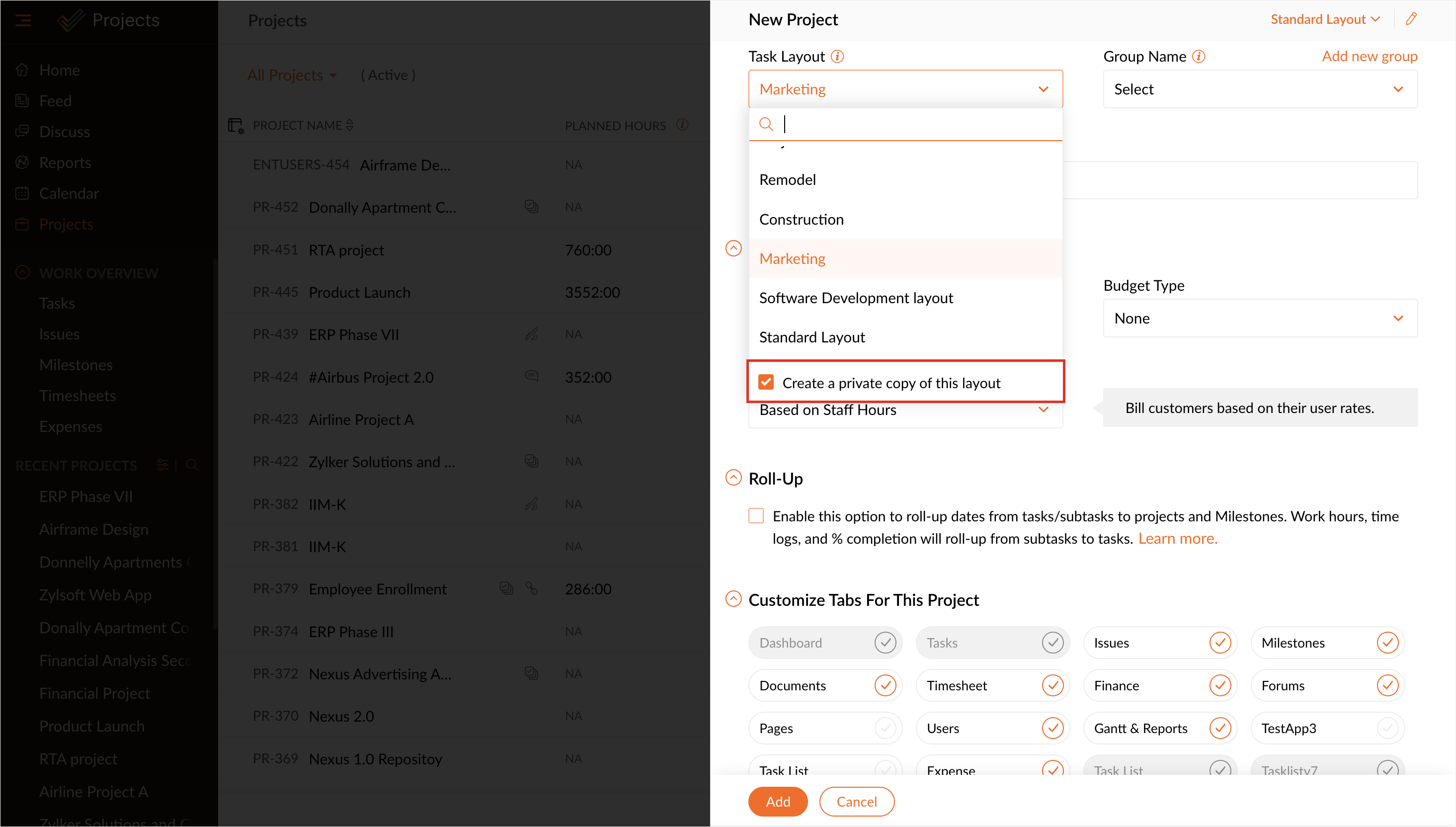
Click on the Task Layout drop-down and select a layout.
The Create a private copy of this layout option is selected by default. Unchecking this option will associate the project with the selected public layout.
Click Add to create the project. A private layout is created with the same project name.