- Note: In order to create projects and jobs in Zoho People, please ensure that any employees or managers for each project have already been added in Zoho People.
- First, log into Zoho People

- Next, in the left sidebar, click on Time Tracker
- Then, click on Projects/Jobs
- Click on Projects
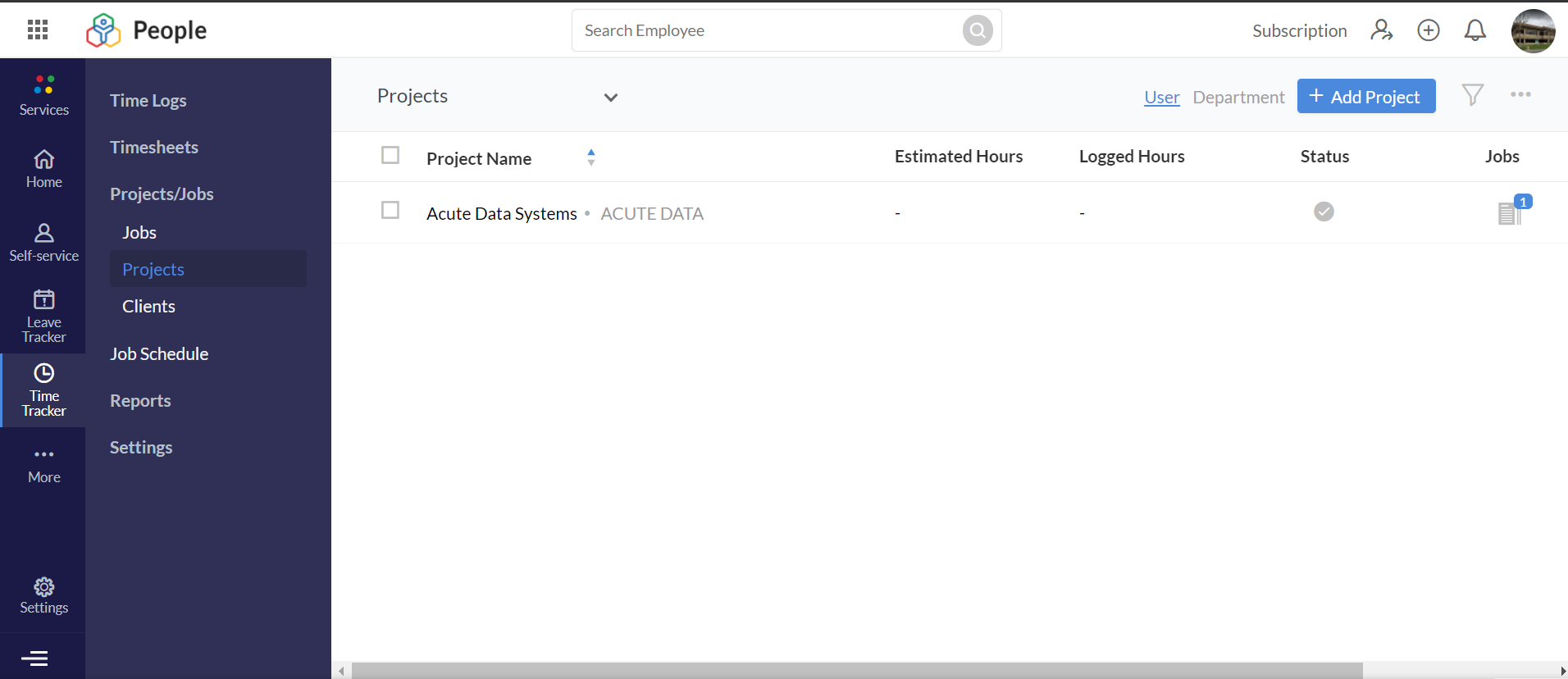
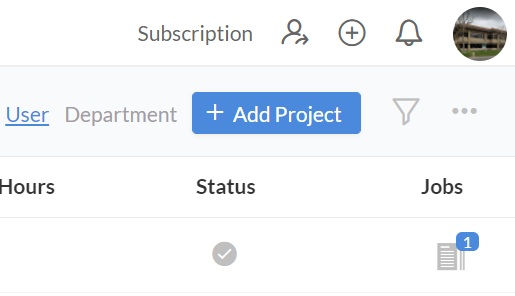
- Select Add Project
- Enter in your project details, such as the:
- Project Name
- Client Name
- Project Head
- Project Manager
- Project Users
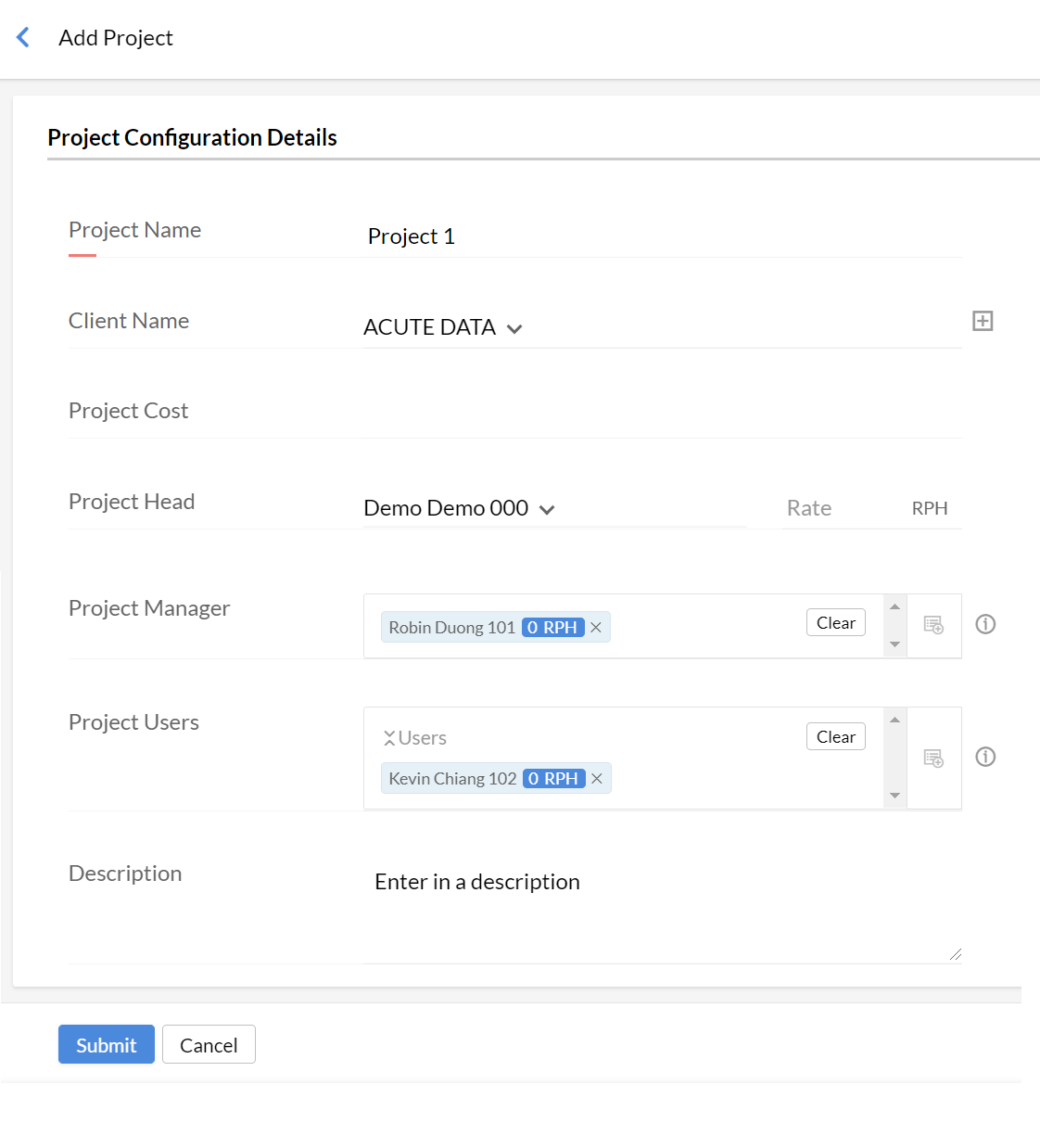
- Finally, click Submit
- You will see a pop-up notification and your new project in the list of projects if it has been added successfully

- And that’s it! Now you know how to add a project and assign employees and managers.
