
Here are the steps to update or register the Sage 300 License Keys
- Be sure everyone is logged off Sage 300. Only you should be logged in.
- Log into Sage 300
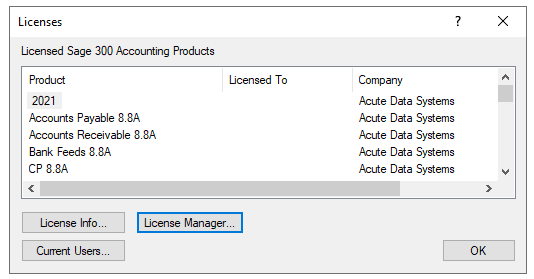
- Click on Help Tool Bar / Licenses
- Click on License Manager Button
- Click on the Change Button for the Serial Number
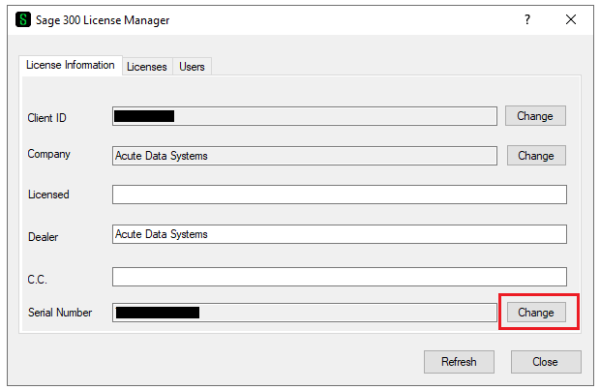
- Enter in the Serial Number and click on the Refresh Button. (This will download the the entitlements.xml file to the Shared Data Folder)
- Close out and the new register keys should be updated.
- To verify, click on the License Tab
- The Expires On Date in the Status column will match the End Date of the current Support Plan
For the Sage 300 Registration to successful, the following URLS need to be White Listed (only applies if the URLs are blocked):
- licensing.services.sage.com:443
- licensing2.services.sage.com:443
- cece.na.sage.com
To Find the Serial Number
- Log into the Sage Portal
- Look up your registration keys
- Use the Serial Number for the Sage 300 System Manager.
- To verify the Serial Number, the Product Version Column will start with ‘AS’