
Crystal Reports Server
Give decision-makers simple-to-use tools to administer self-service reporting designed for your growing business.
Crystal Server empowers decision-makers with user-friendly tools for self-service reporting in growing businesses. Automate report distribution, enable self-service access from desktops or mobile devices, explore data securely, simplify administration, and manage users effortlessly.
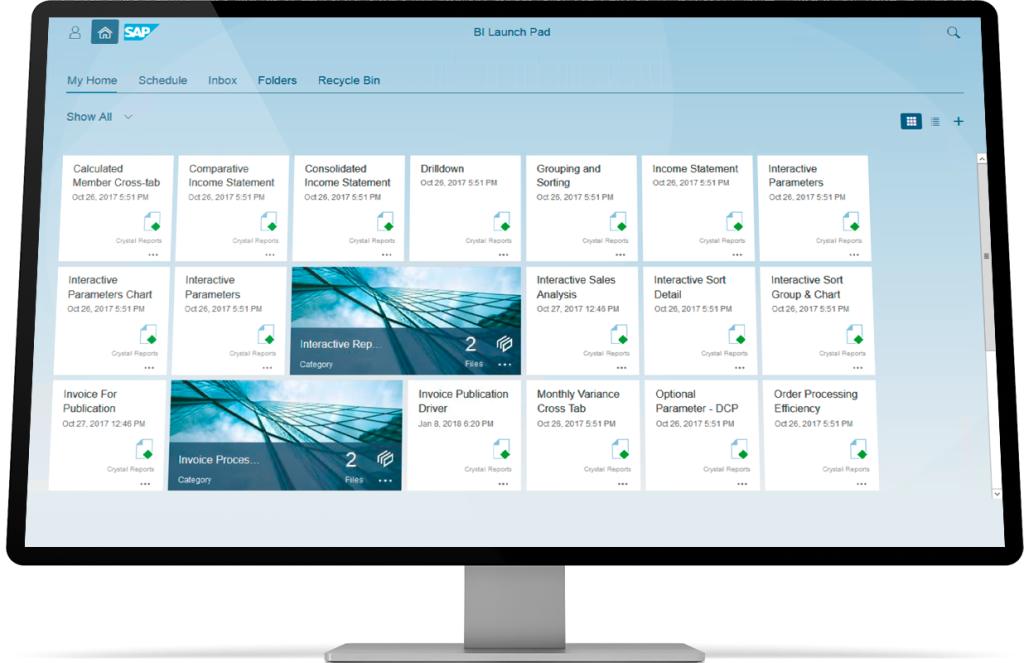
Benefits of using Crystal Reports Server
Automatic Crystal Report Scheduling
Report scheduling
Run standard reports on a flexible schedule and distribute them efficiently while minimizing repetitive use of databases.
Scheduled delivery of e-mail reports
Permit wide distribution of content in a variety of file formats to anyone with an e-mail program.
Management of large viewership
Address the needs of potentially hundreds of views with one point of access to help users make decisions faster.
Recurring generation of reports
Set up your reports in a way that allows them to run at specific times or when a specific event or condition occurs.
Access to your Crystal Reports via Web Browser
View your Crystal Reports via Google Chrome, Firefox, Microsoft Edge or any web browser
Save time by access your report directly from a web browser.
Data-driven publishing
Data-driven publishing
Automate the distribution of reports that are customized for each individual recipient.
Infinite flexibility
Customize and automatically send invoices, form letters, statements, or any pixel-perfect content imaginable.
Content reporting
Take advantage of source documentation to publish complete reports efficiently.
Data-driven report
Determine which users should receive the specific content report that can be filtered by any method.
Combined reporting
Blend together content reporting and data-driven reporting in a single publication.
Management of large viewership
Management of large viewership
Address the needs of potentially hundreds of viewers with one point of access to help users make decisions faster.
Security options
Control access to reports and dashboards at user, group, object, and folder levels to define who sees what data, whether it’s inside the company firewall or over an extranet deployment.
Roles assignment
Assign security rights to a specific security role and assign roles to users so that multiple users can share the same security settings.
Administrator interface
Use the Web-based central management console to apply security features and manage and configure the complete reporting system.