A/R Receipt Adjustment Optional Fields

For Sage 300

Enhance your Accounts Receivable (A/R) Receipt Miscellaneous Adjustments process with the flexibility and customization offered by A/R Receipt Adjustment Optional Fields. This feature empowers users to add multiple optional fields to the A/R Receipt Miscellaneous Adjustments view, streamlining data entry and facilitating comprehensive adjustment tracking.
Accounts Receivable

Add as many Optional Fields as you need to the A/R Receipt Miscellaneous Adjustments view.

  • Configure them like any other Optional Field, along with default values and validation lists
  • All configured fields are displayed in new columns added to the Miscellaneous
  • Adjustment pop-up grid screen.
  • Propagate them to the G/L when the receipts are posted and processed.

Why use it?
A/R Miscellaneous Adjustments do not have Optional Fields by default.

How does it work? (Example)
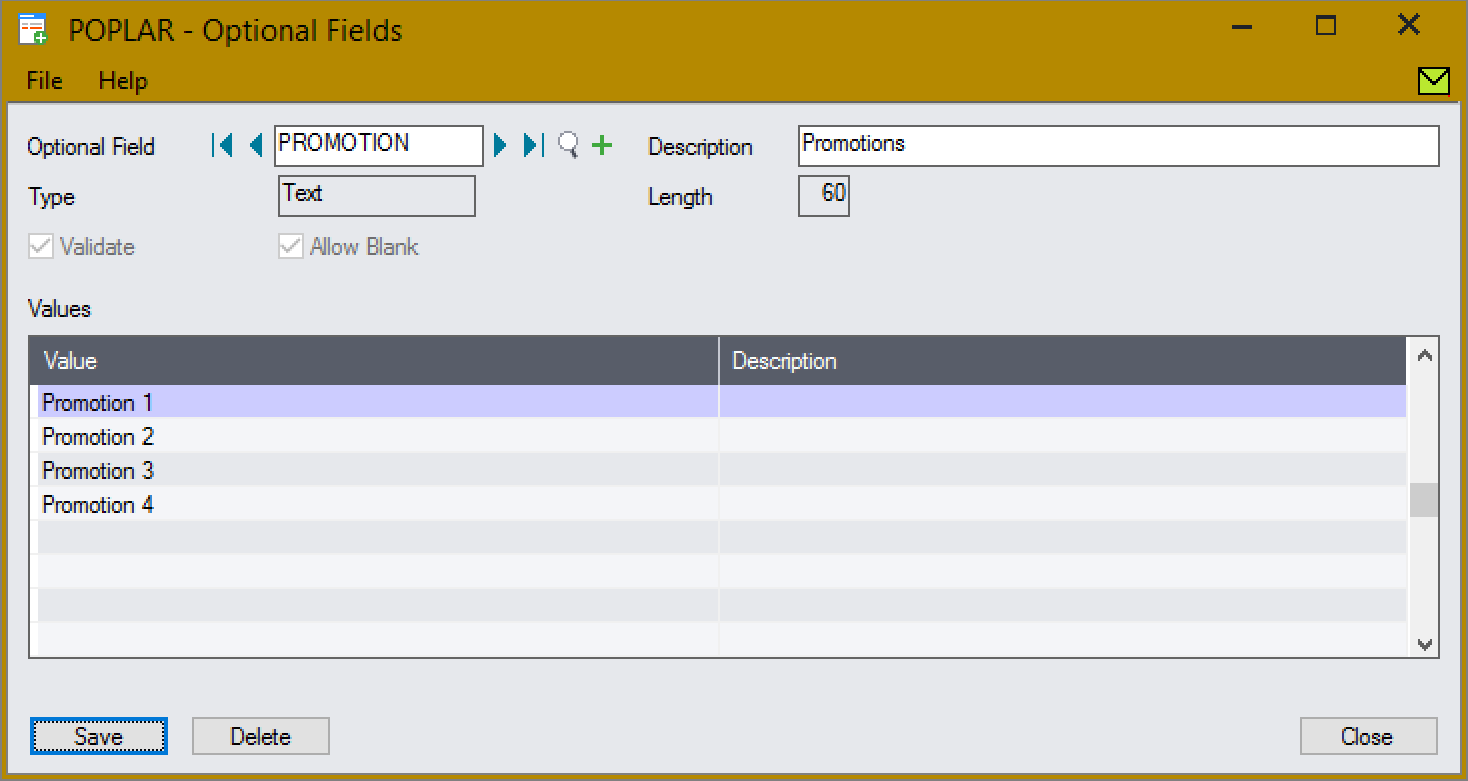
Create the Promotion Optional Field, with validation:

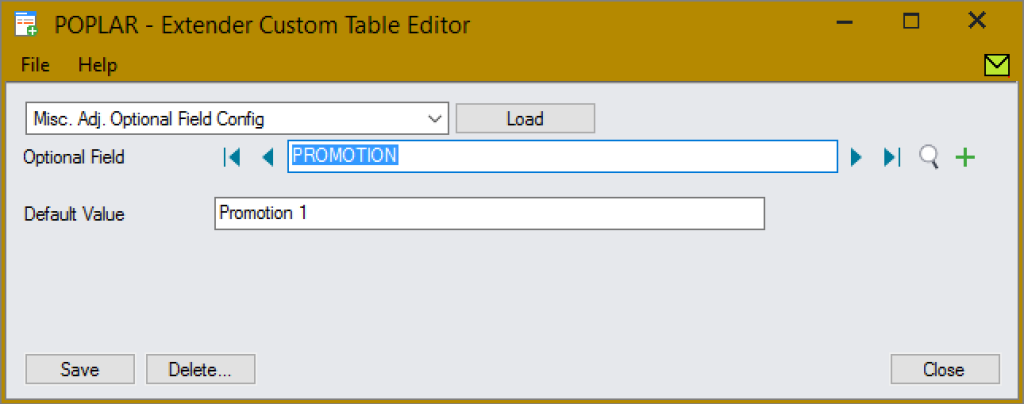
Assign the Promotion field, with a default of Promotion 1:

Extender Custom Table Editor

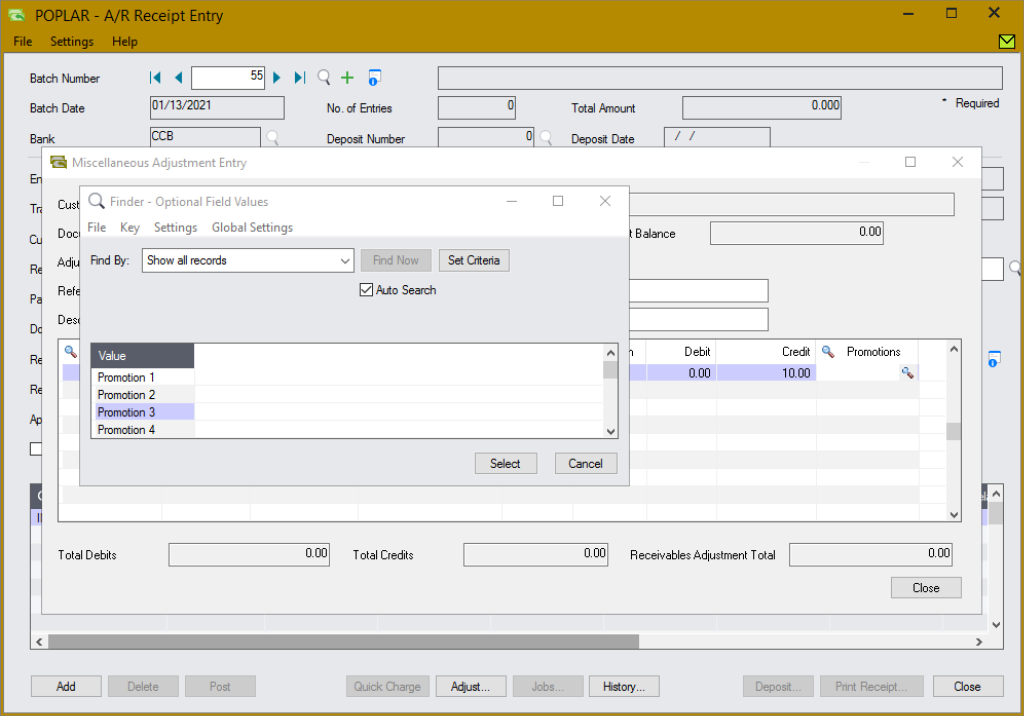
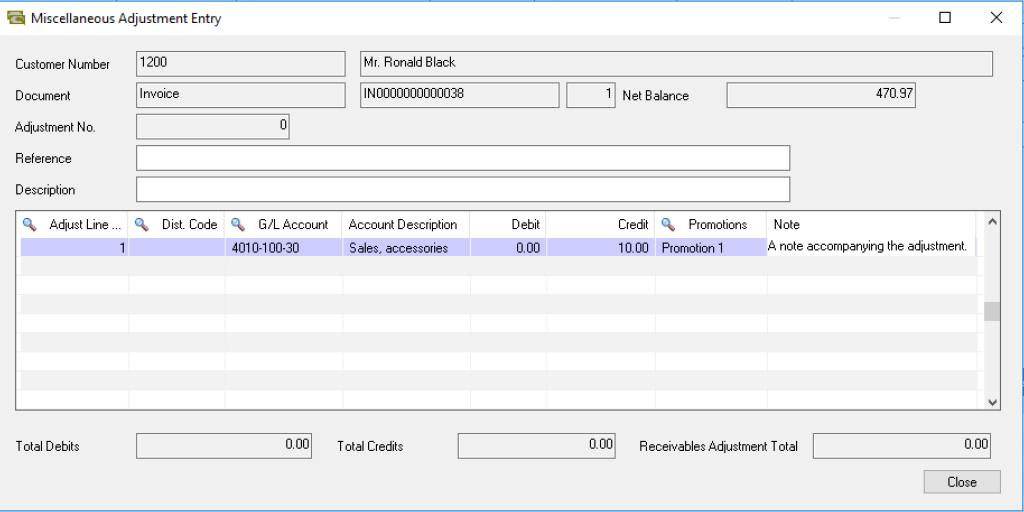
All configured Optional Fields are automatically displayed in new, editable, columns of the Miscellaneous Adjustments pop-up screen grid:

  • They can easily be managed inline, with the adjustment details.
  • Defaults are automatically applied, and validated fields have a finder and validation before write.
A/R Receipt Entry

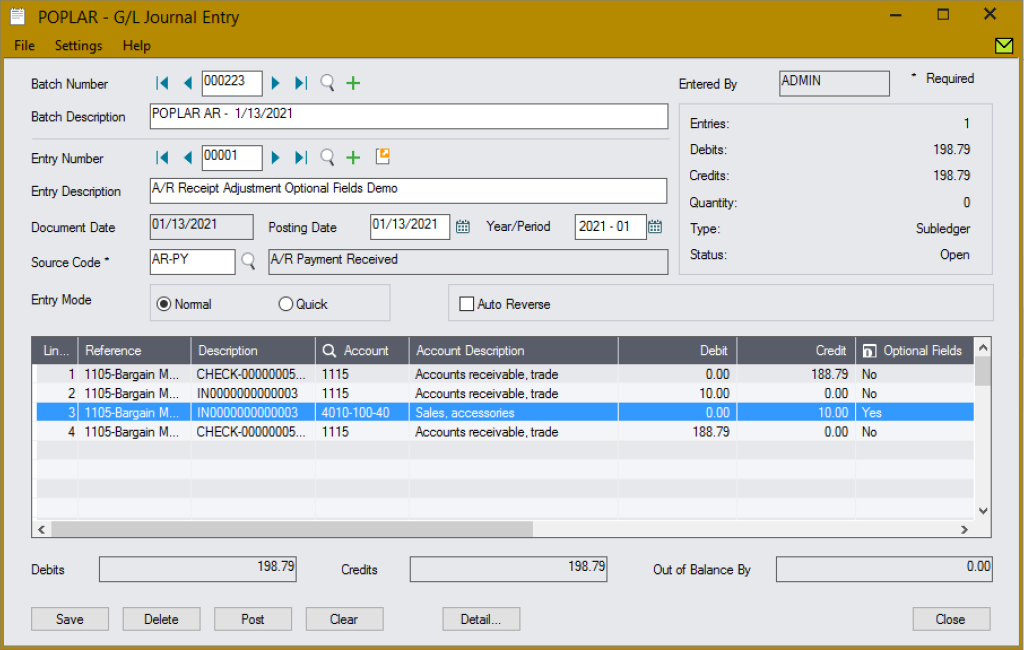
When the adjustments are posted, the Optional Fields are propagated to the G/L entries:

G/L Journal Entry

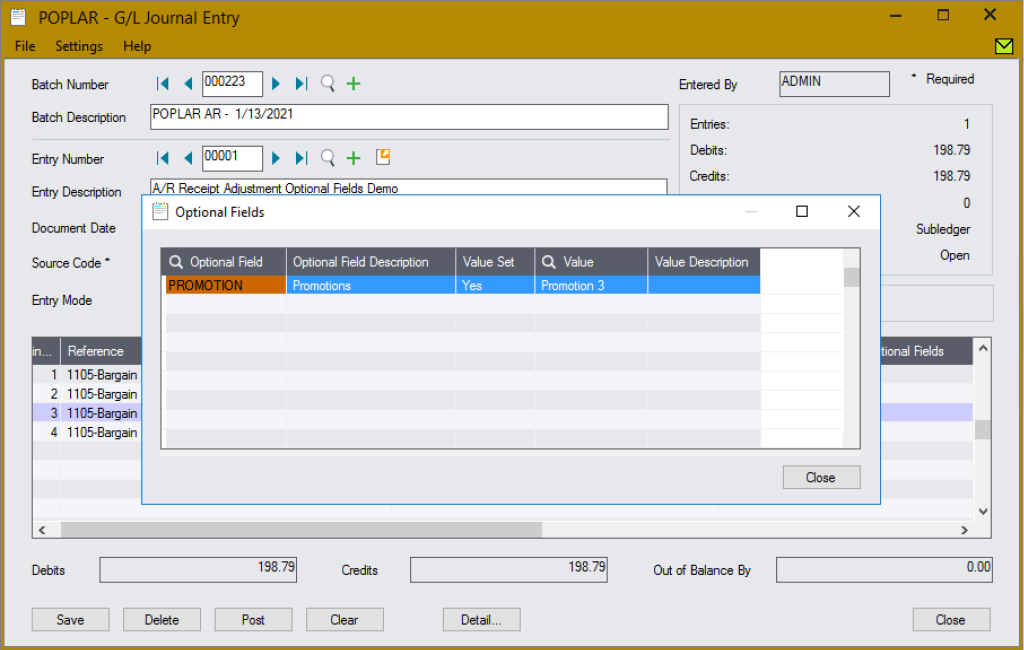
The Promotion Optional Field has been set on the entry.

The Promotion Optional Field has been set on the entry.

Any number of Optional Fields can be configured, using either validated or free form fields, e.g.:

Any number of Optional Fields can be configured, using either validated or free form fields, e.g.:

App Type
Tailored
Requires site-specific customization (Python coding) before use. Request a quote for assistance.