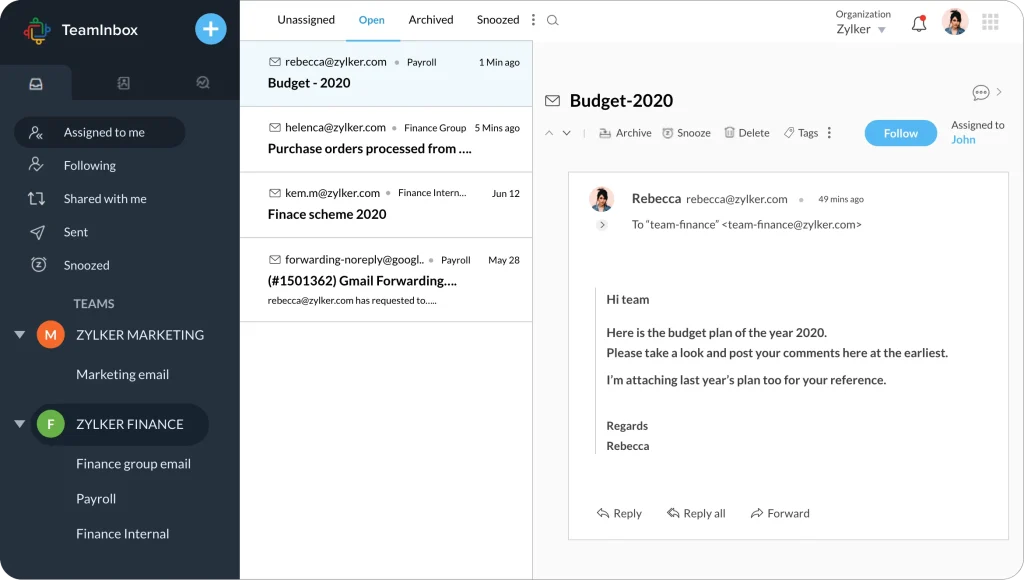
Create common inboxes for your teams and give them the comfort of working in a transparent workspace.
Stay informed on what’s happening in your team all the time. Connect your team’s email addresses to shared inboxes so each conversation is visible to every team member added to that inbox.
Stay informed on what’s happening in your team all the time. Connect your team’s email addresses to shared inboxes so each conversation is visible to every team member added to that inbox.
Uncomplicated collaboration
TeamInbox gives you what you need for smart collaboration, all in one place. Conduct parallel discussions with your team about complex conversation so you can send out precise responses every time.
Inbox Zero is an attainable goal
An empty inbox is always satisfying. Assign thread to the person responsible, archive them once you’re done replying, snooze threads of less priority, and thus have a cleared space.
Personal inbox right next to your shared inbox
Don’t switch applications to access your team and personal emails. Connect your personal emails with Zoho TeamInbox and keep all your emails in a single place.
Privacy assured with secured sharing
There is no compromise for security and privacy here at Zoho TeamInbox. Your data is protected and safe with us, encrypted both at rest and in transit. Our data centers are equipped with security layers to keep your information intact. Above all, you control your data.
Work faster,
Work better
No work duplication
Since every thread can have an owner and each team member can clearly see who is working on what, your team can avoid doubling up on the same tasks.
All your business
conversations in one place
Save yourself the confusion of switching between multiple applications: channel your conversations to TeamInbox to streamline and manage them in a single place.
A well-organized, clutter-
free inbox
Messy inboxes can easily derail your productivity. Categorize conversations based on teams and assign specific tags.
Rules to automate
repetitive tasks
Decide how you want to sort messages and set up rules to automate the process for accurate work distribution.
A shared inbox, also called a team inbox, lets teams manage group emails like finance@ in a single collaborative space. Admins can create shared inboxes in Zoho TeamInbox and allow users to access them, enhancing team productivity.
Use shared inboxes when you want every member of the team to be aware of who is responsible for incoming messages. Ensure transparency, visibility and credibility throughout your teams and have an organized workspace.
Yes, for every inbox you create in Zoho TeamInbox, a unique mail alias will be created. Just add this mail alias as a member to your group email irrespective of the service it’s hosted on. You will now start receiving your emails in Zoho TeamInbox.
Yes, Zoho TeamInbox is GDPR compliant. We have a set of clear rules and strategies on how we process personal data. We do not collect or process users’ personal information beyond what is required for the functioning of the product, and this will never change.