
Delete BOMs in Sage 300
For Sage 300
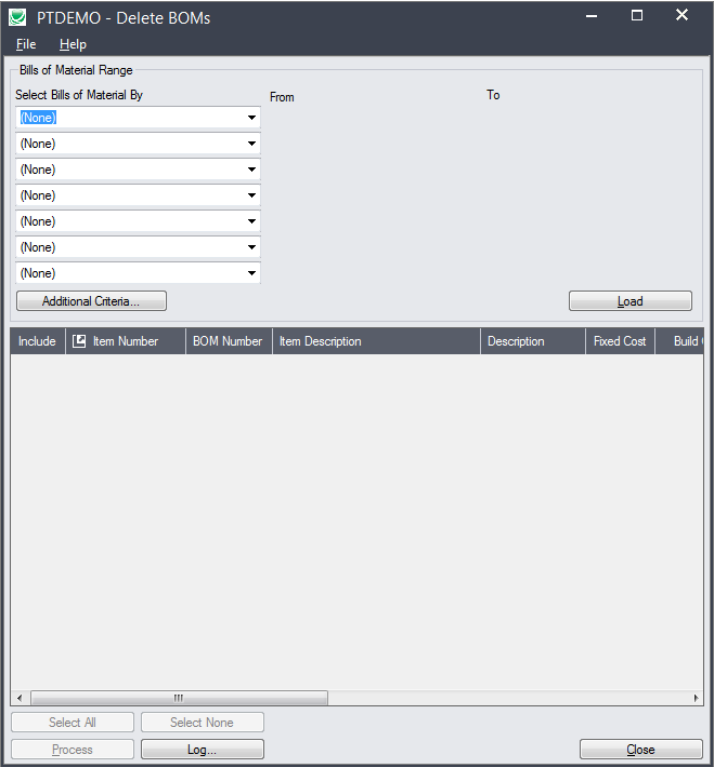
Sage 300 Delete BOMs (Bill of Materials) provides a way to delete hundreds of old or unused BOMs in one operation.
What is Delete BOMs (Bill of Materials)?
Sage 300 lets you delete individual bills of material using the Bills of Material screen, and it lets you
delete inactive BOMs using Delete Inactive Records. However, neither method provides the control and
efficiency of Delete BOMs.
Delete BOMs lets you safely delete multiple bills of material from Inventory Control in a single process.
Delete Boms Features
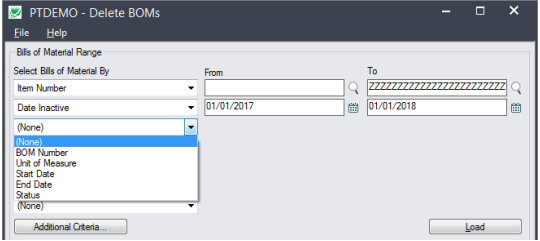
- Select ranges of BOMs by item number, BOM number, unit of measure, start date, end date, status, or date inactive. You can select ranges using up to seven fields – or you can import a list of the BOMs that you want to delete.
- Specify additional selection criteria using BOM fields.
- Load the list of BOMs from the range that you specified.
- See the status of all BOMs in the list, as well as which ones are “In Use”.
- Even if BOM quantities are zero, BOMs can still appear in orders or historical data that has yet to be purged.
- If a BOM is deleted when it is still referenced in other modules, the integrity checking program will flag these references as errors, and some operations in Sage 300 may not behave as expected. In addition, some reports will display incomplete or inaccurate data.
- Delete BOMs looks through all core Sage 300 tables and known third-party tables searching for references to all BOMs matching your selection criteria, then displays all database tables that reference those BOMs in the “In Use” column.
- Cherry-pick” BOMs for deletion that are “safe-to-delete”.
- Optionally Delete BOMs individually by selecting them from the loaded list of BOMs and pressing the Delete key.
- Press a Process button to delete all selected BOMs in one step.
- View a log of all deletions after processing.