

Set up hierarchical approval
When adding users, you can choose their designated approver right away. Set up linear approval hierarchies and Zoho Expense will automatically send transactions to the appropriate person for approval.


Simplify approvals
Don't want complicated approvals? No problem! Make it so the approver for advance payments and purchase requests can be any Admin.


Access approvals from a single place
Zoho Expense offers a consolidated dashboard for approvers and admins to view transactions submitted for approval. Approvers can view the reports, advance payments, trips, and purchase requests submitted to them, while Admins can view all transactions.


Delegate approval
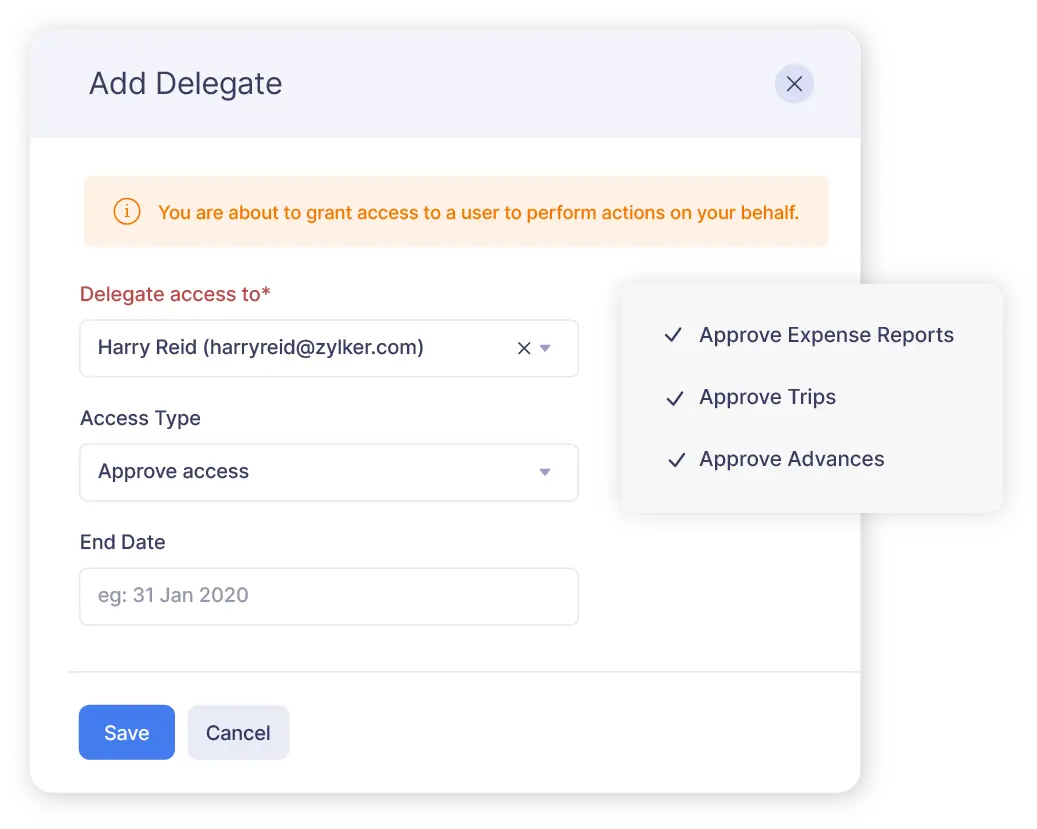
Authorize a colleague to approve reports or trips on your behalf when you're away from work by adding them as your delegate. You can even set up an out-of-office approver and all approval requests will be auto-forwarded to them during the specified period.

Automate approval notifications
Notify approvers when a report or trip request is submitted and when approvals are pending. Notify submitters when reports or trips are approved or rejected, when comments are added to their reports, or when a report gets reimbursed.


Know the approval flow
Let employees know where their approval request is. Once they submit an expense report, trip request, advance payment, or purchase request, Zoho Expense displays the approval flow directly on their request screen.

Get approval analytics
Want to know how long approvals take in your organization? Zoho Expense can tell you. A dedicated analytic report gives you approval times so you can take action if they are unreasonably long.