
Detail Optional Fields
For Sage 300
Enhance the versatility of your banking operations with Detail Optional Fields, a powerful addition to the Misc. Utilities Bank Services suite. This feature extends Optional Field capabilities to detail views, such as Bank Entries, enabling comprehensive customization and improved data management.
Adds Optional Field capabilities to Detail Views that don’t otherwise have them (e.g. Bank Entries).
Features
- Detail Optional Fields are easy to set up and configure, and are functionally identical to Sage’s Optional Fields
- They can have default values, are stored in the database by related object key, and are easily used in reporting
- All fields are added to the appropriate grid, so the optional data can be managed inline with the related object
- Optional Fields are transcribed to the G/L Entry Optional Fields
How does it work? (Example)
Optional Fields are defined in Common Services, as normal.
- E.g. Create the CUSTLIST Optional Field with values of Company 1, Company 2:
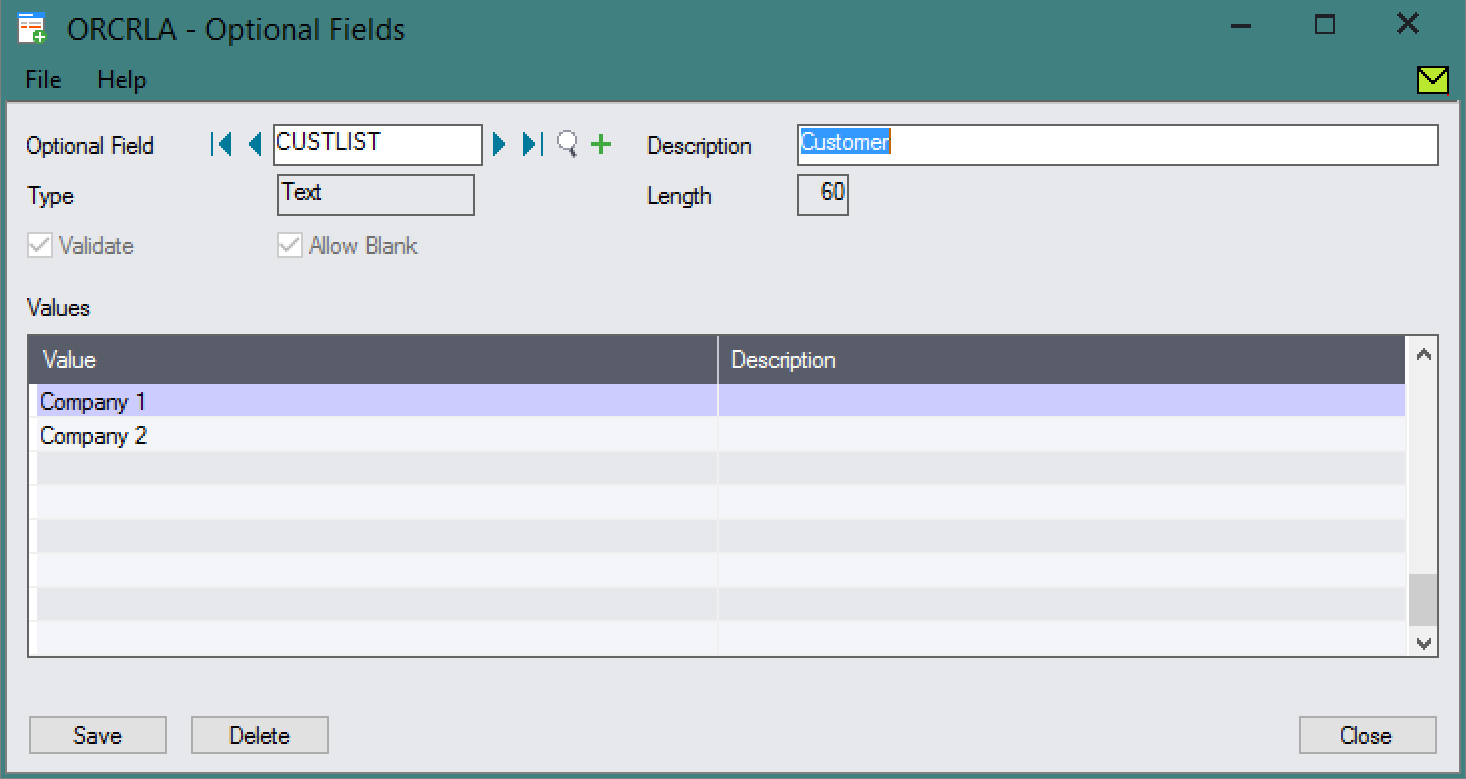
They can then be assigned to the desired Detail View, with a default value, via an Extender Custom Table.
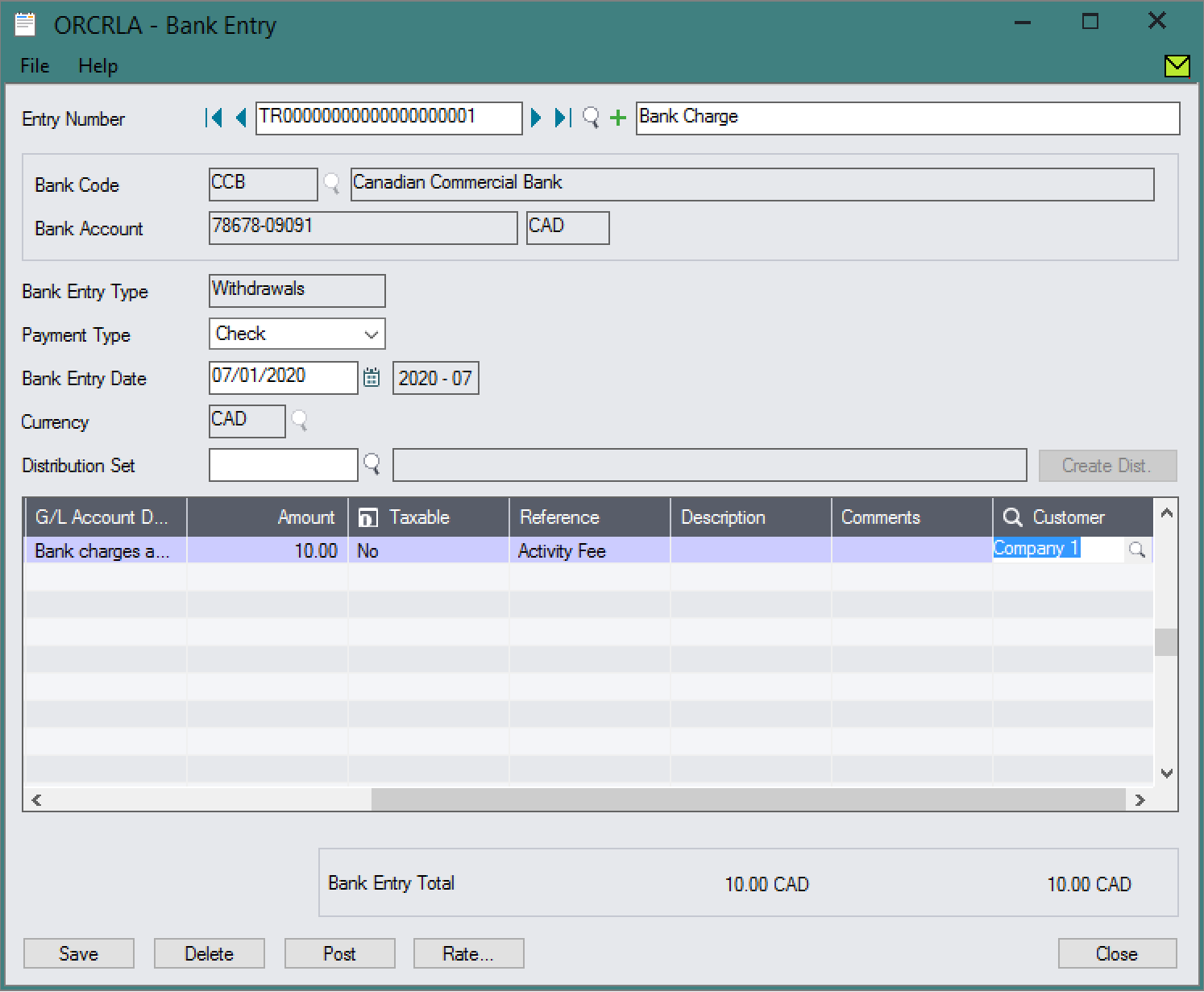
- E.g. Assign the CUSTLIST Optional Field to Bank Entries.

They then appear as columns in the detail grid.
- Values flow through to the GL Entry Optional Fields.
App Type
Packaged
Provides useful functionality ‘out of the box’. (May require configuration, but not coding.)